Downtown Museum
UX/UI Design
March 2024 - July 2024
Project Brief
An app was designed for a fictional museum called the Downtown Museum in order to allow users to find information about the museum and book tickets quickly and easily.
My Role
This is an individual project that allowed me to plan and direct each step of the design thinking process as a UX design student with mobile and web design experience.
Responsibilities
Conduct user research
Paper and digital wireframing
Designing mockups
Low and high-fidelity prototypes
Conducting usability studies
Iterating designs based on feedback
The Problem
Users can be frustrated by apps not having clear and easily available information and having complicated ticket booking processes.
The Goal
Design an app for the museum that allows the user to view the schedule for a specific date and book tickets quickly and easily.
Understanding the User
User Research
User Persona
Journey Maps
User Research
I conducted user interviews with participants that are either consistent museum visitors or have an interest in visiting museums. I then turned the results of the interviews into empathy maps to better understand the needs of potential users. I discovered that some users find other museums apps complicated to navigate and frustrating to find information about what is happening at the museum on a specific day. This turned an experience that should be exciting into a source of frustration.
Pain Points
1
Poor Navigation
Users often have trouble finding the exact information they need.
2
Too Many Elements
An excess of elements can cause users to become overwhelmed and frustrated with their online experience.
3
Unclear Info
Users want to see what is happening on a specific day so that they can plan the best time to visit.
User Persona
Using the findings from my user research, I crafted two user personas to represent my most likely user types. Say hello to Margaret and Justin!
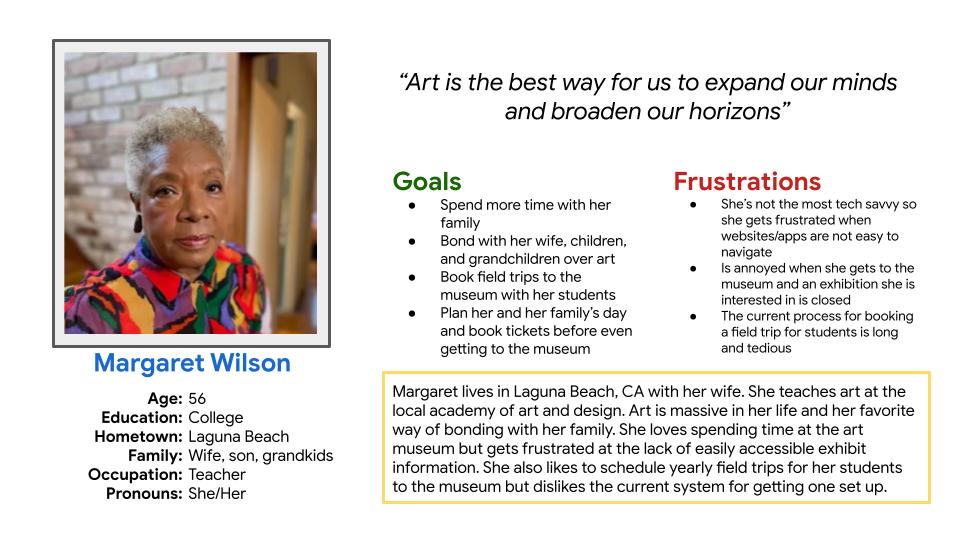
Margaret Wilson
Margaret is a grandmother and art teacher who needs to see what is on exhibit and book tickets easily so that she can share her love of art with her family and students.
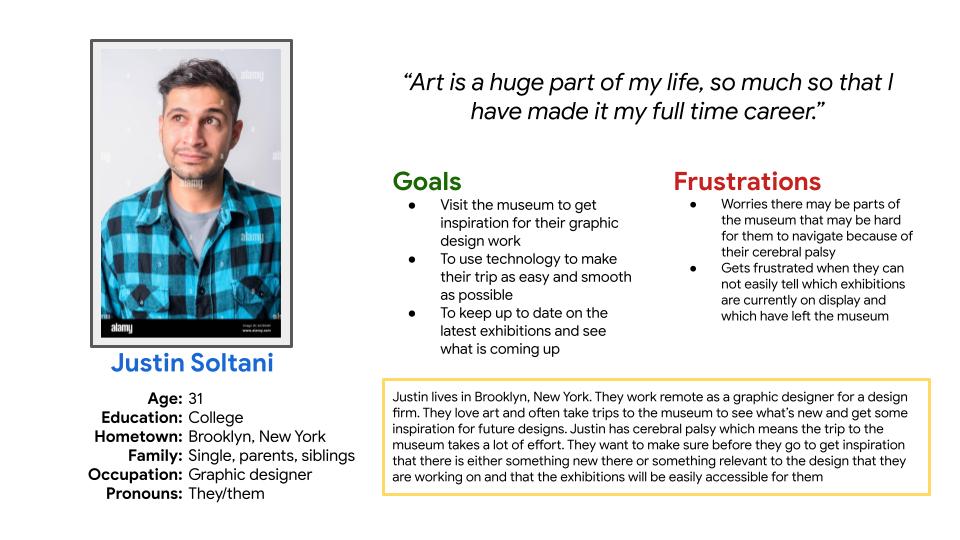
Justin Soltani
Justin is a graphic designer with cerebral palsy and a love for art, who wants to easily plan out and prepare for their museum trip so they can gain inspiration and appreciate art with minimal headaches.
Journey Maps
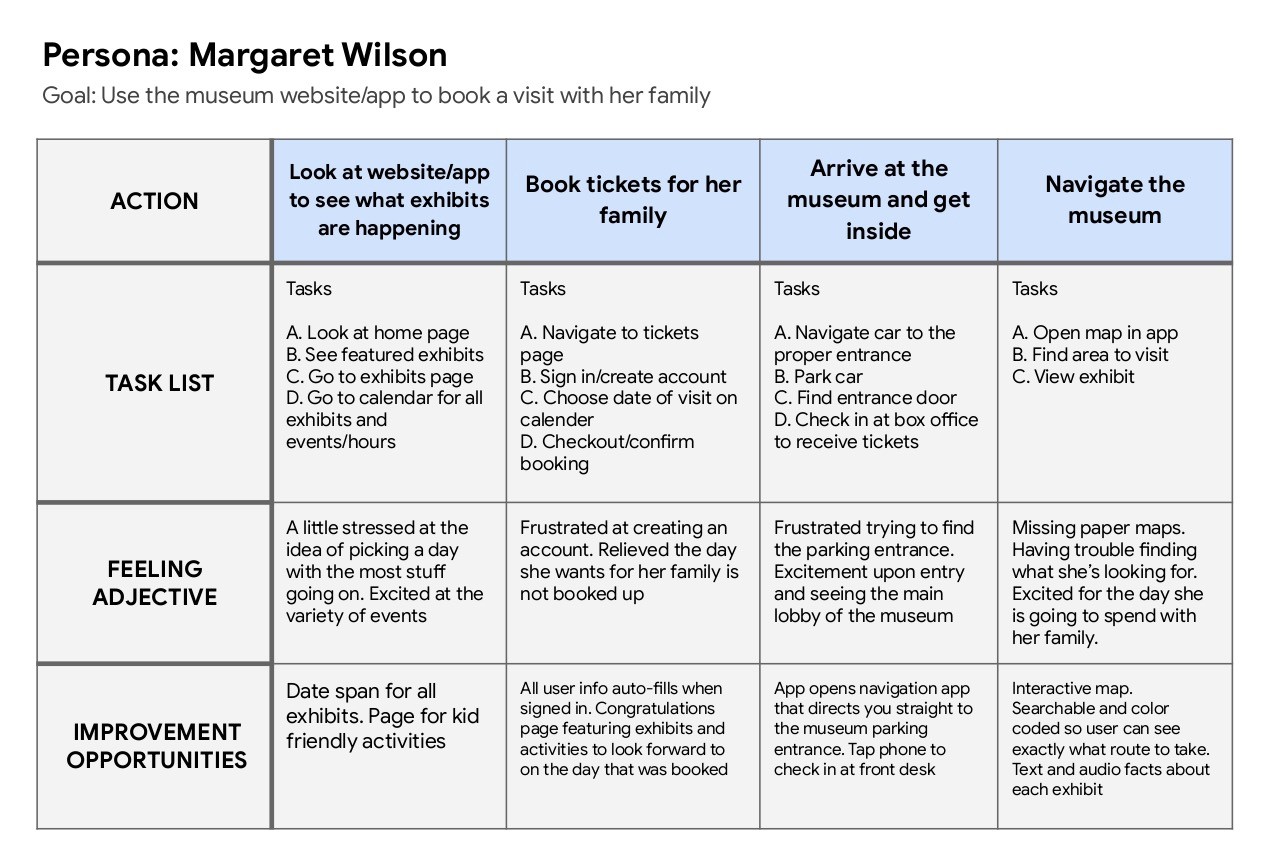
My main goal in designing this app was to make it as easy as possible for anyone to navigate and use. Minimizing frustration for the user and making the whole process as pain free as possible was at the forefront of my mind when making most decisions. With this goal in mind, I put myself in the shoes of Margaret and went through the process of booking tickets on a typical website.
Persona: Margaret Wilson
Goal:
Use the museum app to book a visit with her family
Starting the Design
Paper Wireframes
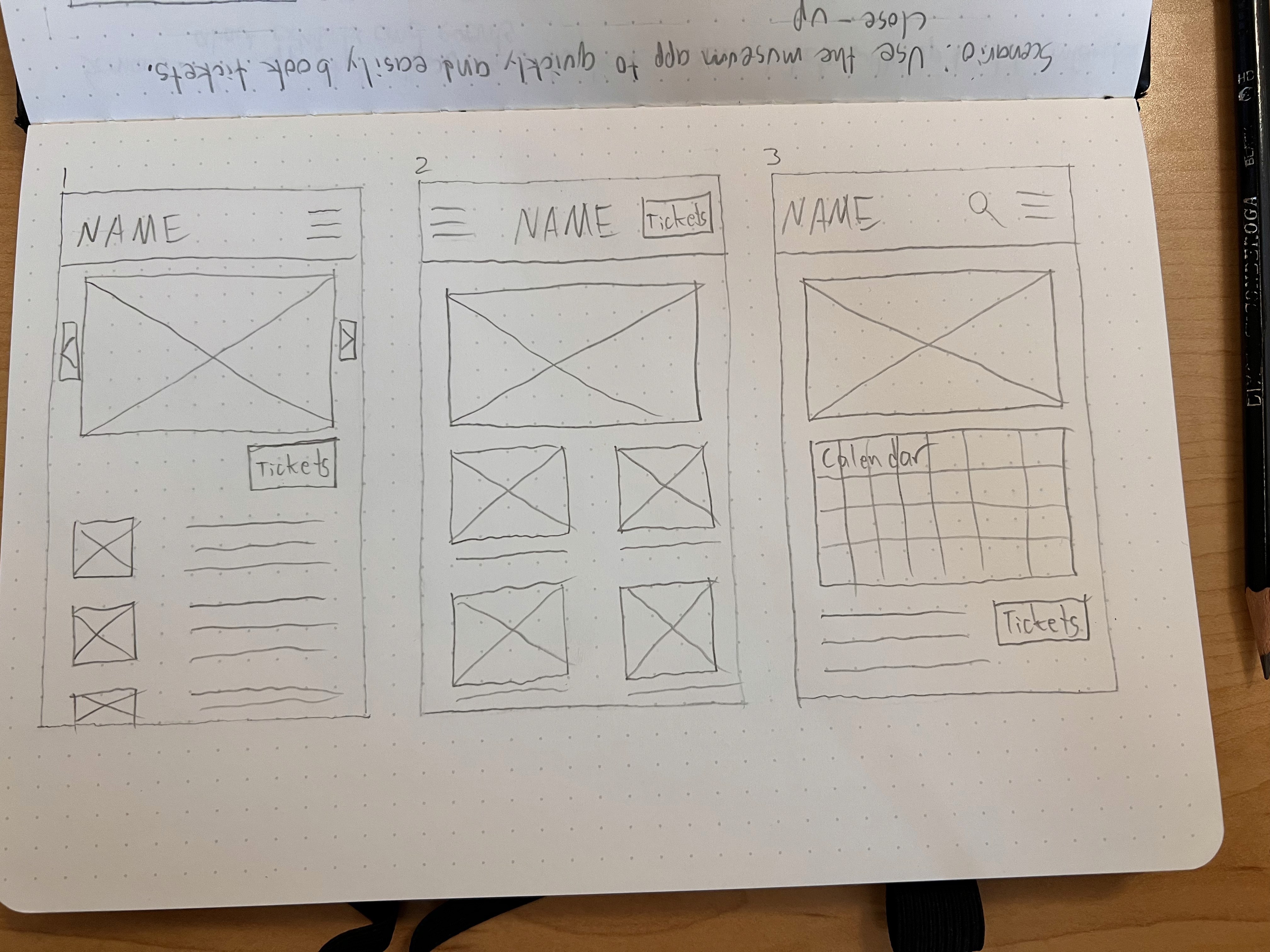
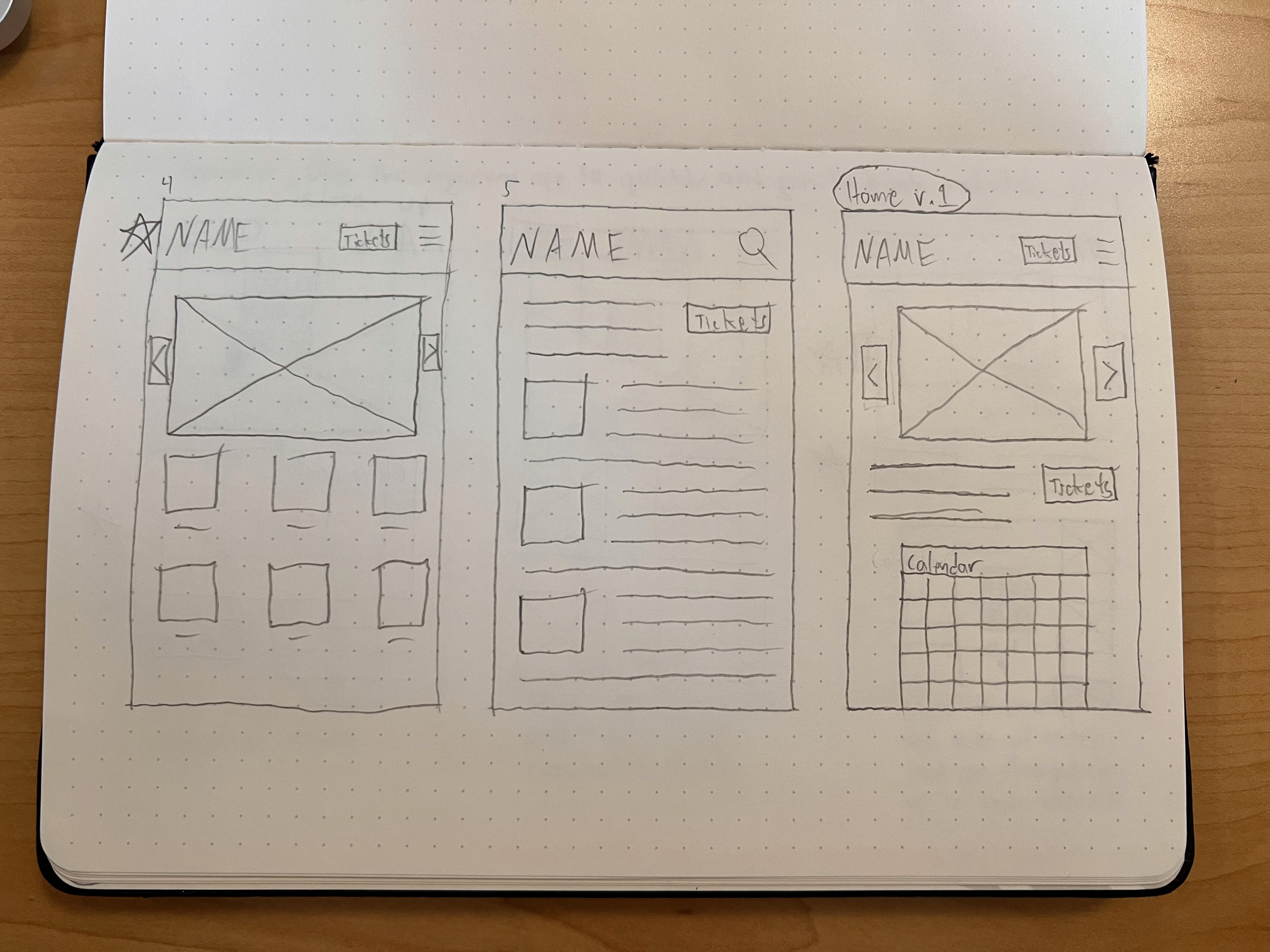
Paper wireframes were created after taking inspiration from many websites for popular museums and other attractions.
Digital Wireframes
Home
Day Info
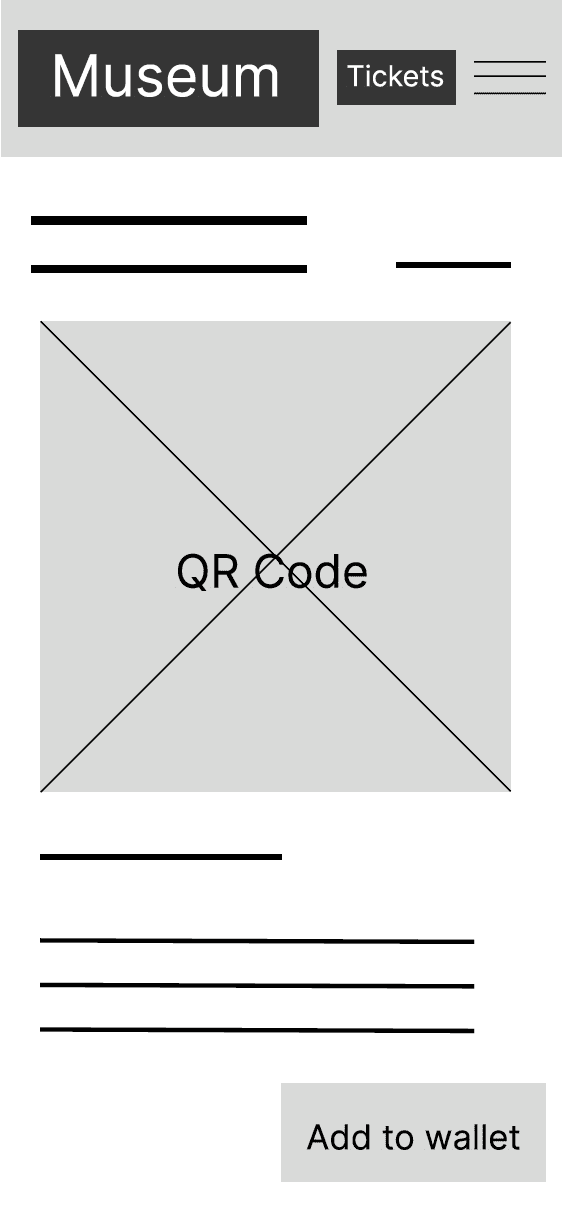
Confirmation
Lo-Fi Prototype
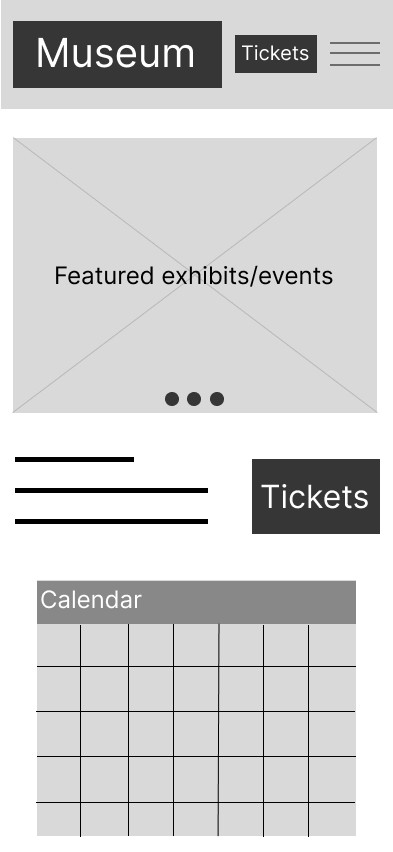
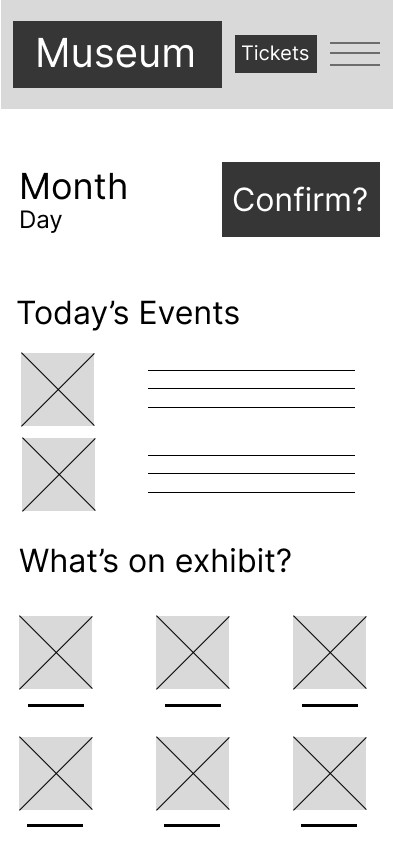
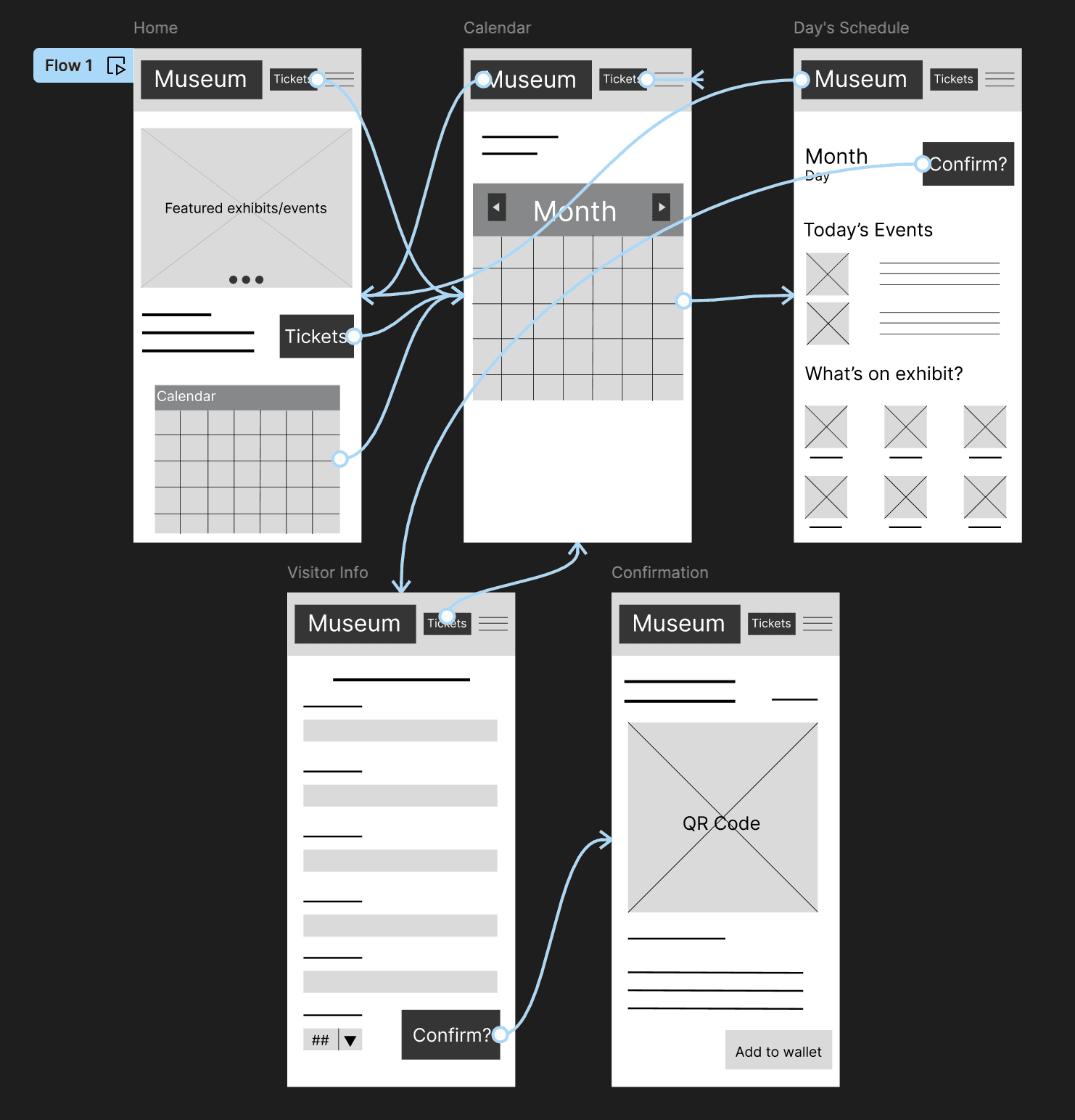
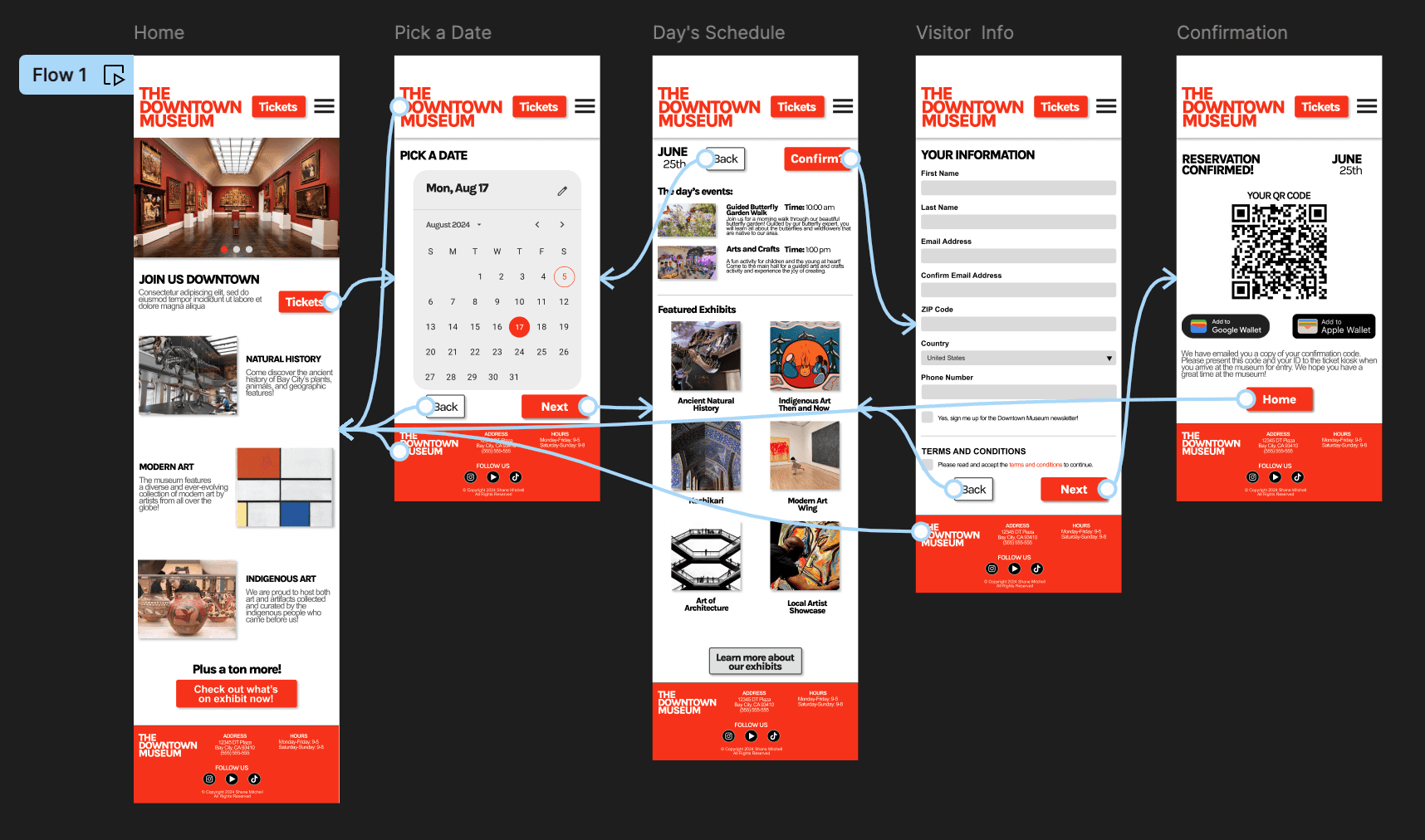
Shown here is the lo-fi prototype for the main user flow of booking tickets for a day trip. The goal was to make the main user flow as simple as possible while also including all of the necessary information that the user may require. I wanted multiple starting points into this user flow from the home page in order to allow the user to start the process as quickly as possible.
Check out the prototype!
Usability Study
Findings
1
Users did not like when they clicked on the calendar on the home page, only to be shown another calendar.
2
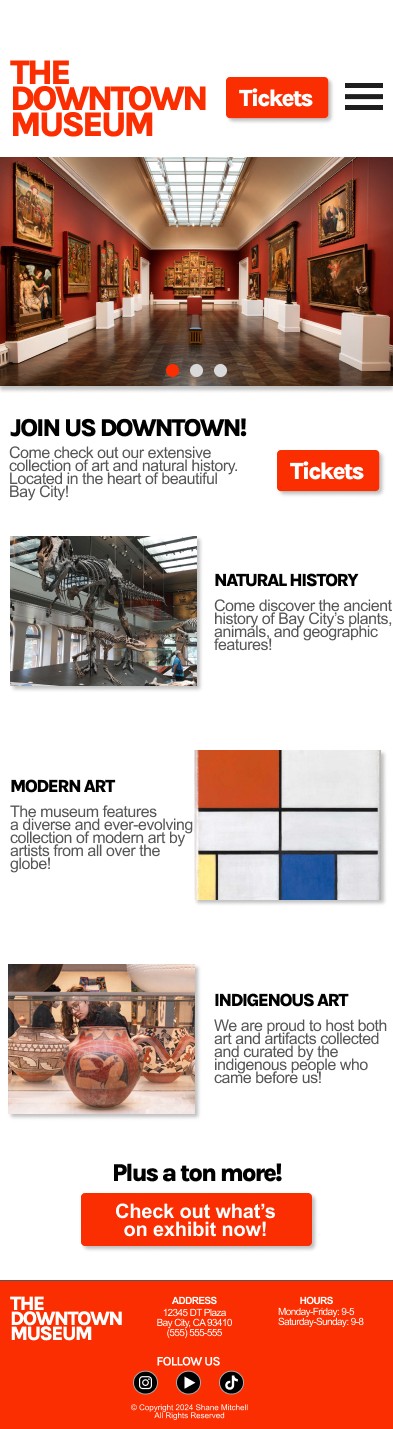
Users found the page with the exhibits for the day to be too crowded and the images to be too small.
Refining the Design
Mockups
Hi-Fi Prototype
Accessibility
Mockups
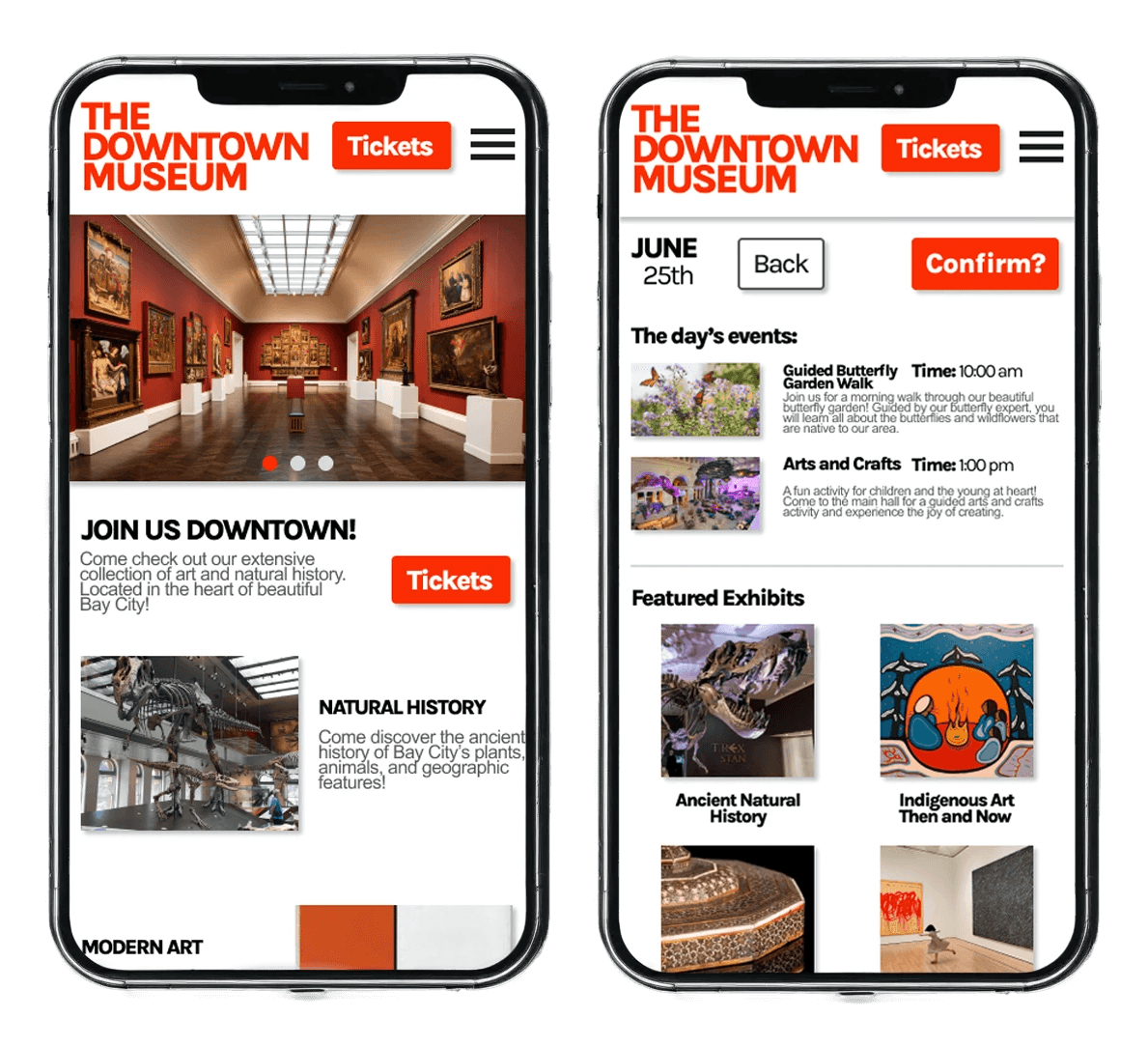
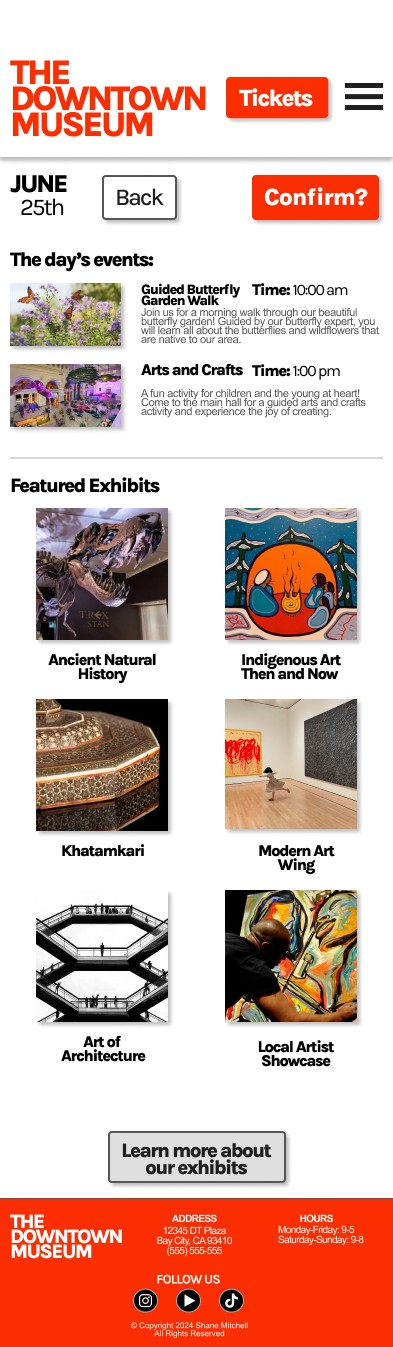
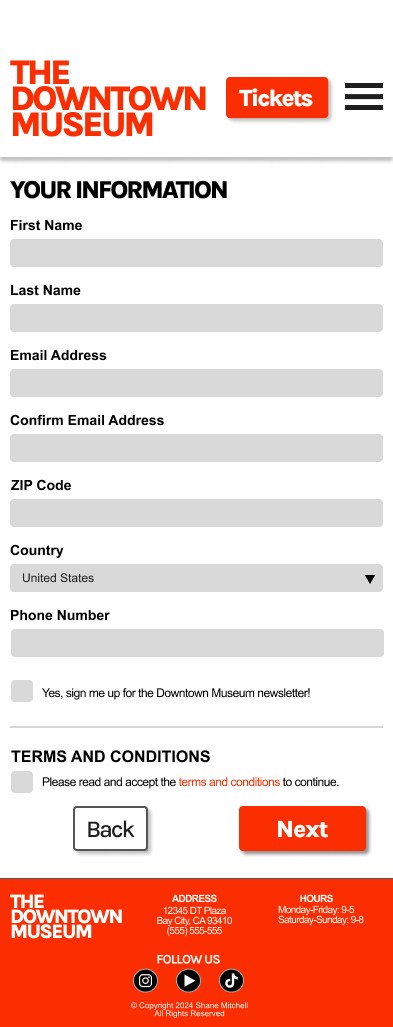
I chose red for the accent color to draw attention to the buttons that are important to the main user flow. On the home page I eliminated the calendar in favor of a section for showcasing the featured wings of the museum.
Home
Day Info
Form
Hi-Fi Prototype
The high-fidelity prototype mirrors the low-fidelity one but with added design elements and with changes made based off of the usability study.
Accessibility Considerations
1
Use of different sizes and weights for headings to create a clear visual hierarchy
2
Use of clear landmarks on the page to help users (including those who use assistive technologies) navigate the app
3
Alt text for images to assist users who utilize a screen reader.
Going Forward
Takeaways
Next Steps
Takeaways
Impact
Received feedback from users saying that the new design was easy to navigate and visually engaging with the added images and pop of color.
Key Takeaway
The design process can be infinitely ongoing and there are endless changes that can be made but the most important changes are the changes that truly improve the experience for the user.
Next Steps
1
Create mockups and a prototype for the remaining pages such as a page for events and individual pages for the exhibits.
2
More work to implement accessibility features such as a menu that allows users to turn on and off specific accessibility tools.
3
Identify further areas that need help and iterate the designs to improve those areas.