ThreadDrop
UX/UI Design
February 2025 - May 2025
Project Brief
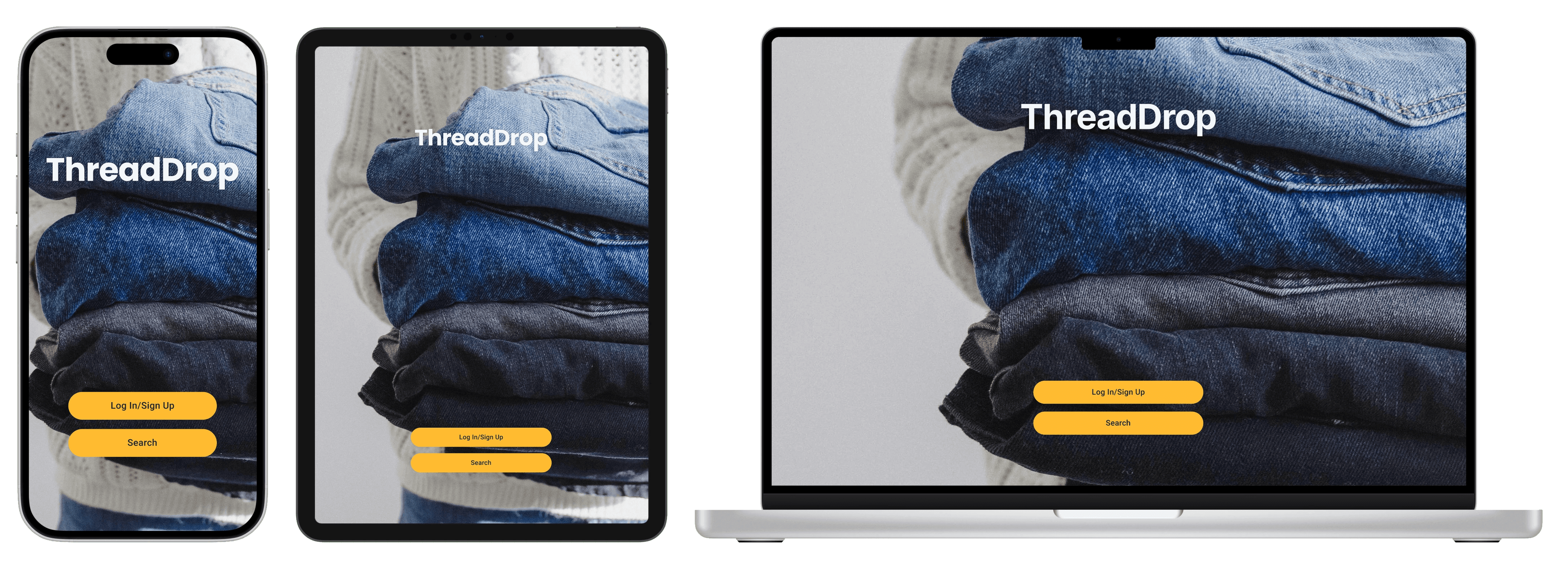
A fully responsive website design for a service that allows users to search for donation centers in their area and filter the results by type of organization and impact.
My Role
This is an individual project that allowed me to plan and direct each step of the design thinking process as a UX design student with mobile and web design experience.
The Problem
People often want to donate clothing and other items, but have trouble finding convenient locations that align with their values. Without an easy way to find and filter donation options, much needed donations often end up delayed or in the trash.
Responsibilities
Conduct user research
Paper and digital wireframing
Designing mockups
Low and high-fidelity prototypes
Conducting usability studies
Iterating designs based on feedback
The Goal
Finding the right place to donate clothing locally can be confusing and time-consuming, leaving well-intentioned donors unsure where their items will have the most impact. ThreadDrop will help users easily find and filter nearby clothing donation locations based on type (big chain thrift stores, small businesses, or direct-give organizations) making the donation process faster, more understandable, and more meaningful. We will measure effectiveness by tracking user engagement metrics including behavioral (filter usage, repeat visits) and impact indicators (check-ins, user feedback).
Understanding the User
User Research
User Persona
Journey Maps
User Research
In order to gather information, I conducted user interviews that included participants who donated with varying frequency and supplemented my findings with AI assisted research to gather broader statistics about what keeps people from donating, what makes someone decide on a location to donate to, and rates of clothing waste. My findings allowed me to determine insights about my potential user base and develop empathy maps, user personas, and journey maps for those user personas. I also conducted competitor audits, though quickly discovered that the service did not have any direct competitors. To overcome this challenge, I decided that the apps whose basic ideas most closely resemble what I was trying to create were actually apps like Yelp, OpenTable, and Tripadviser with their ability to find restaurants and businesses by their proximity to their user and type of food/service offered.
Pain Points
1
Impact
Many potential donors do not know how to find locations to donate to that ensure that their donation makes an impact.
2
Unclear Hours
Potential donors struggle to find locations that accept donations during their busy schedule.
3
Unclear Process
Unclear instructions increase the mental load on potential donors and can lead to them abandon the task entirely.
User Personas
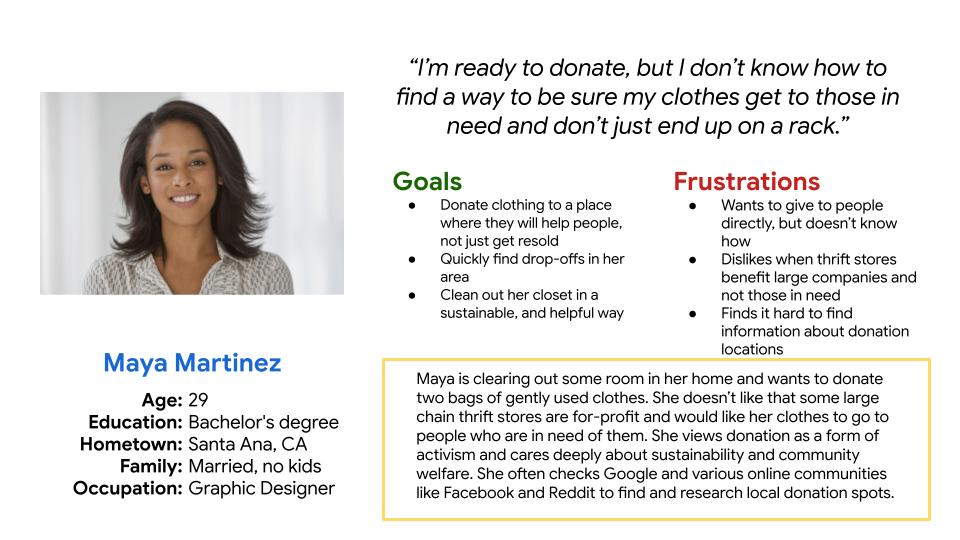
Using the findings from my user research, I crafted two user personas to represent my most likely user types.
Maya Martinez
Maya is a socially conscious donor who needs to determine how her donation will be used because she wishes to make an impact in her community.
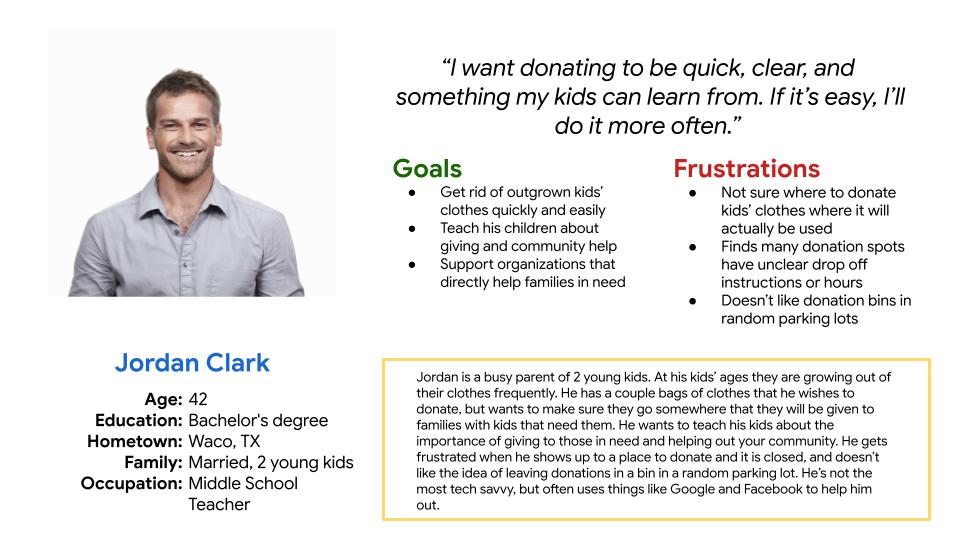
Jordan Clark
Jordan is a busy father of 2 who needs to find locations with donation hours that fit his schedule because he needs to make space in his home and wants to teach his kids about helping the community.
Journey Maps
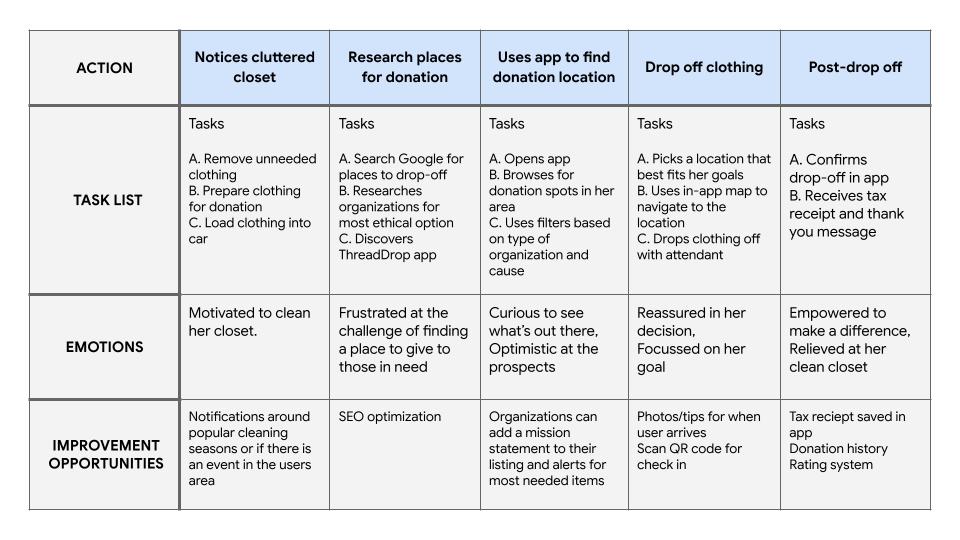
Putting myself in the shoes of both of my user personas, I created journey maps to reflect steps that each user takes, how they feel during each step, and possible solutions to help them along in their process.
Persona: Maya
Goal:
Declutter her closet and make sure her clothing goes to the people in her community that need it.
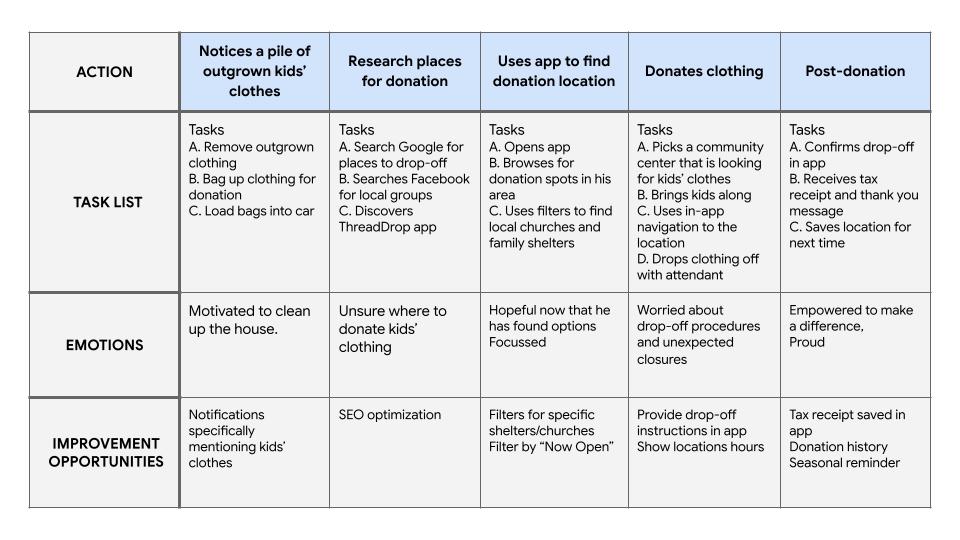
Persona: Jordan
Goal:
Donate his kids’ outgrown clothes during his busy week and in a way that they will go to families who need them.
Starting the Design
Paper Wireframes
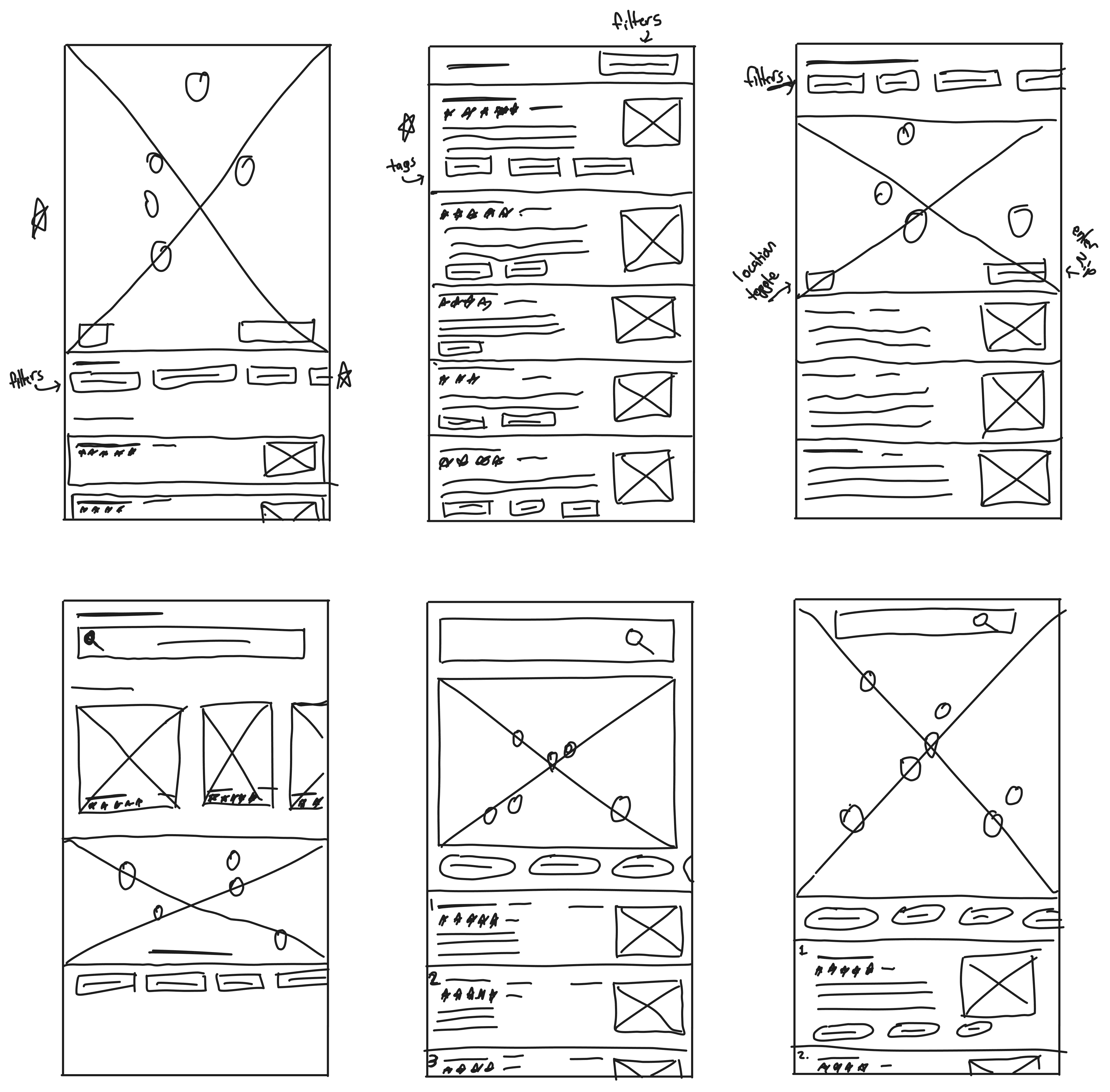
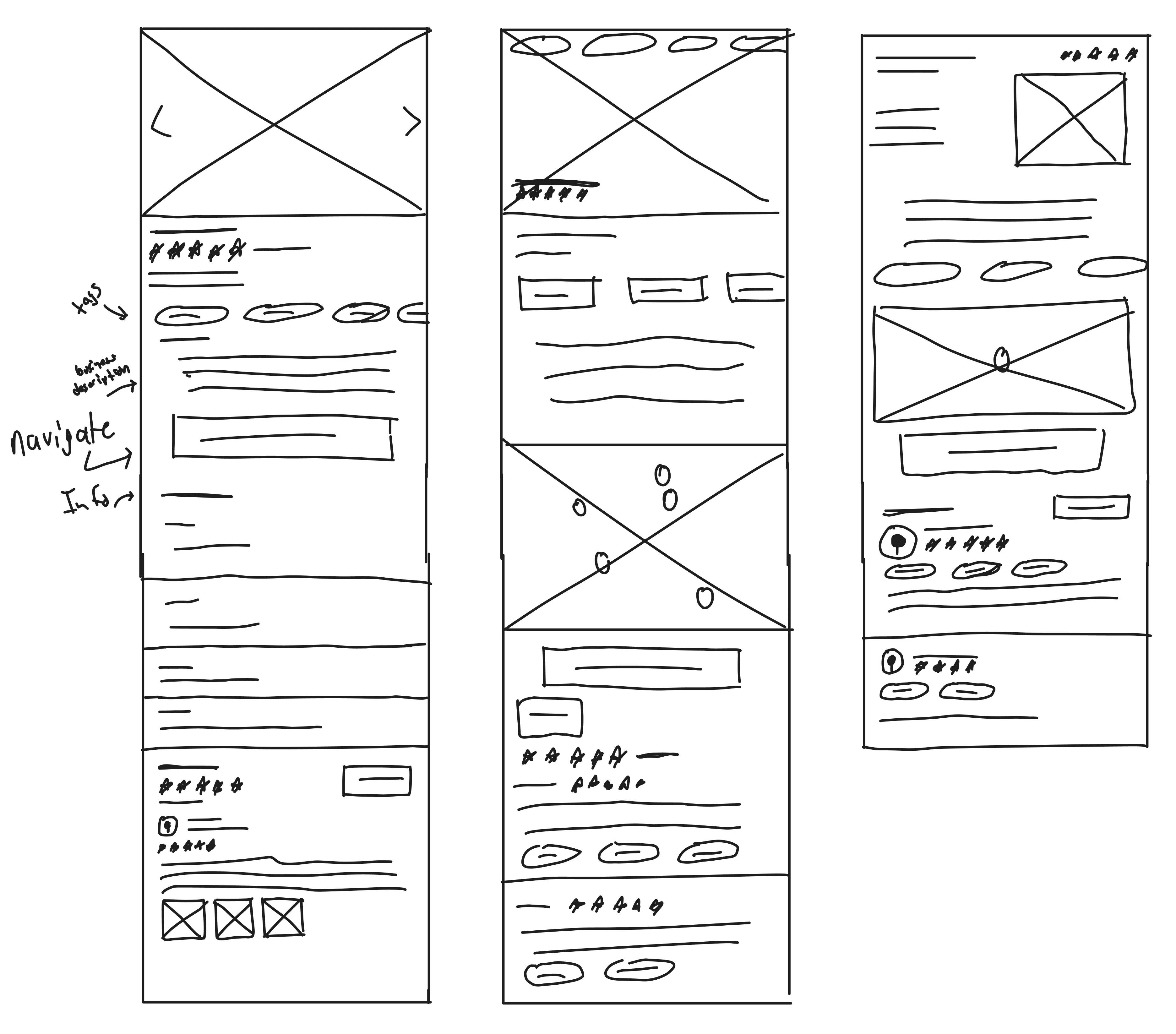
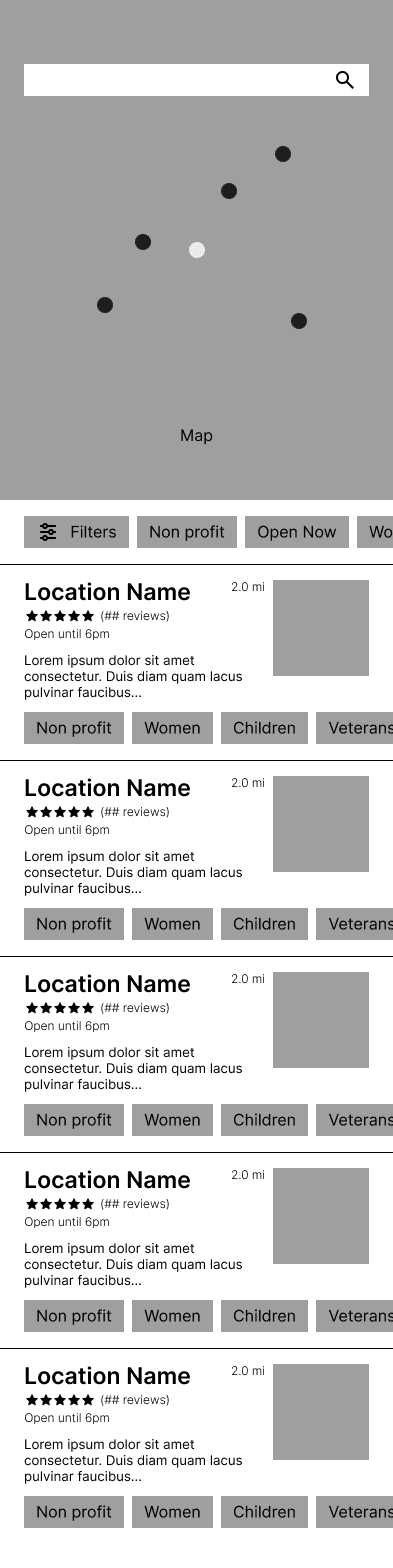
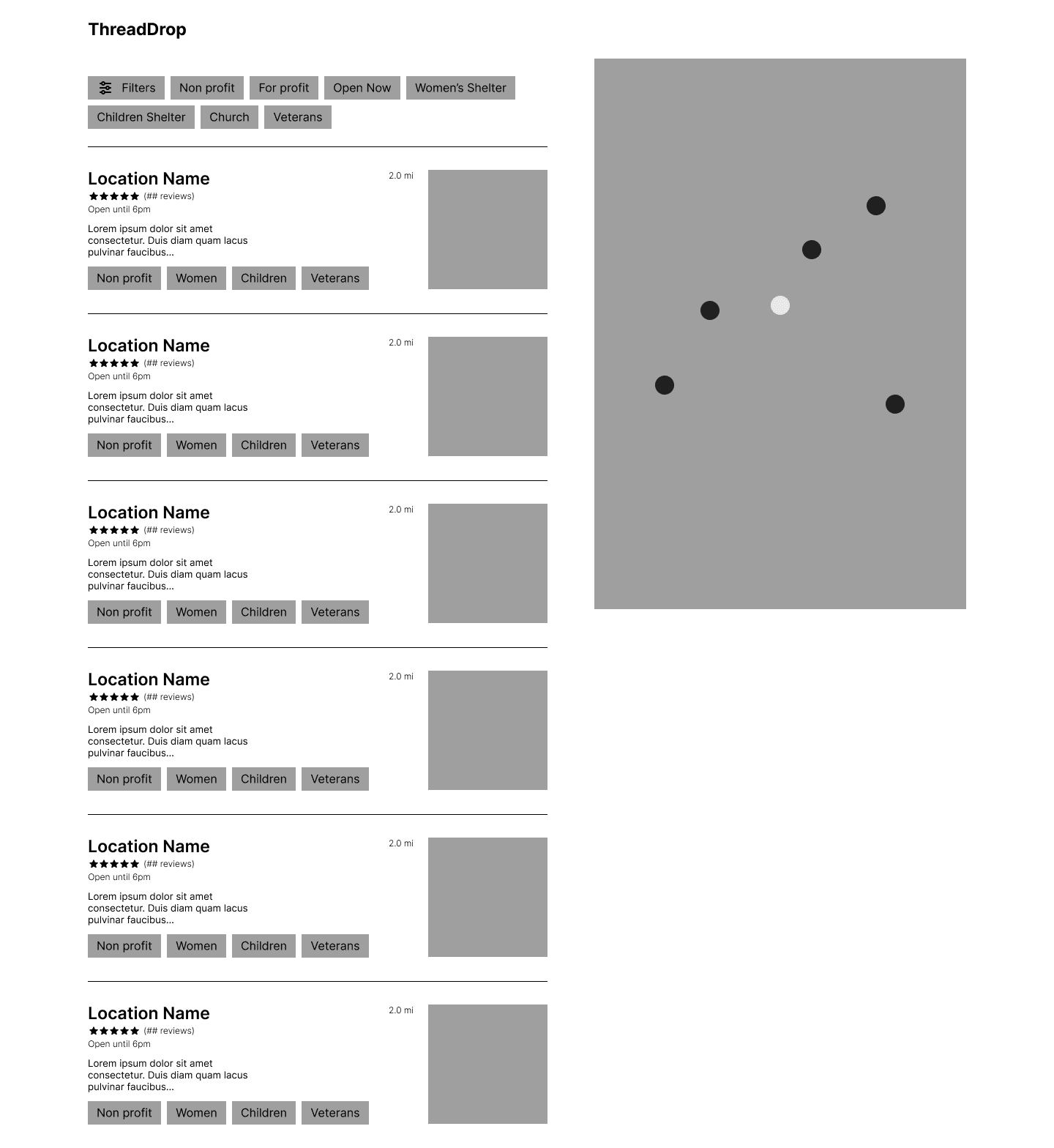
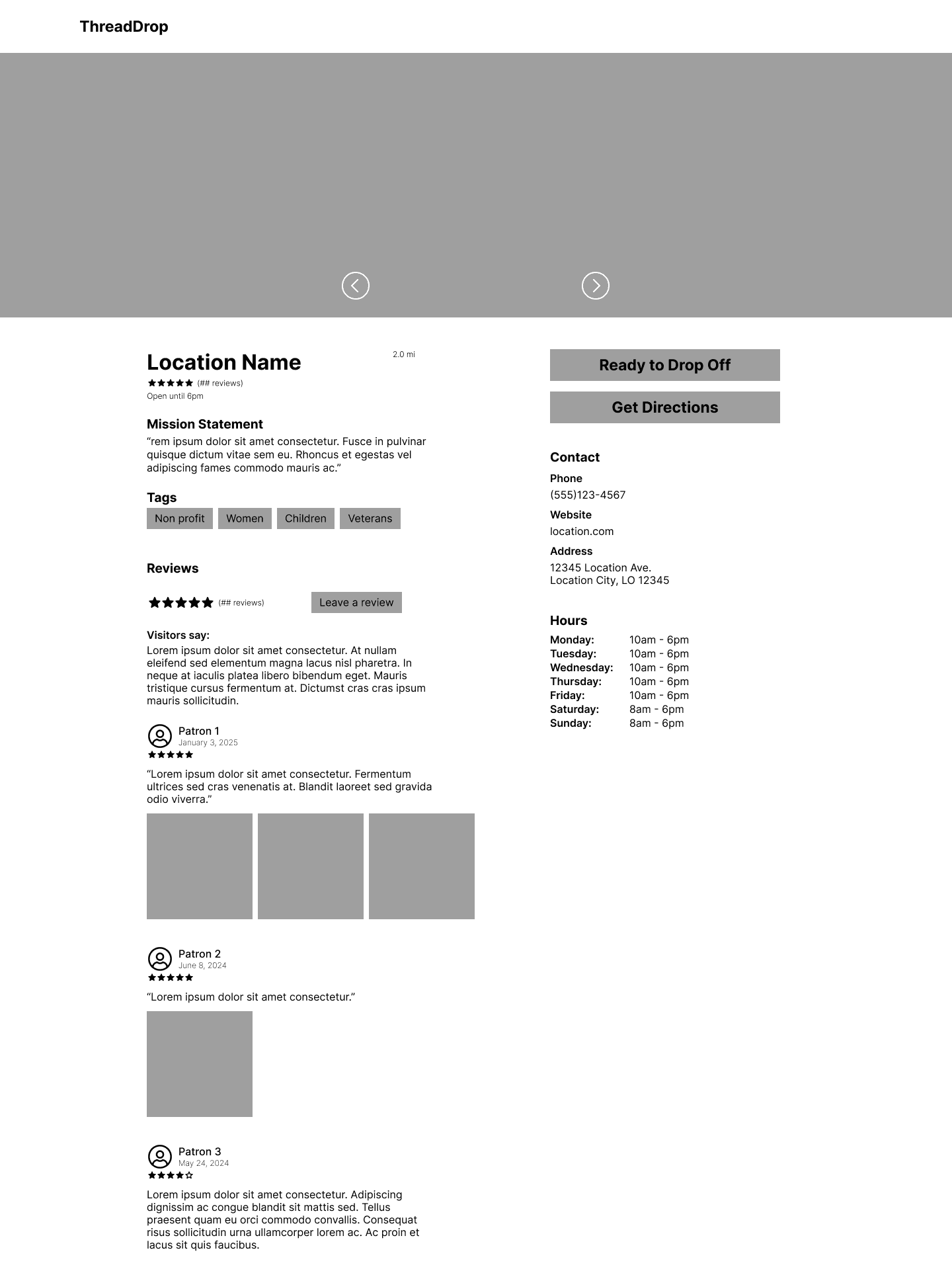
With user research as the basis, I began drafting paper wireframes that included the core features that had been identified as most desired. Designing mobile first was a priority as most users would likely be using ThreadDrop on their phones.
Search Results
Location Info
Digital Wireframes
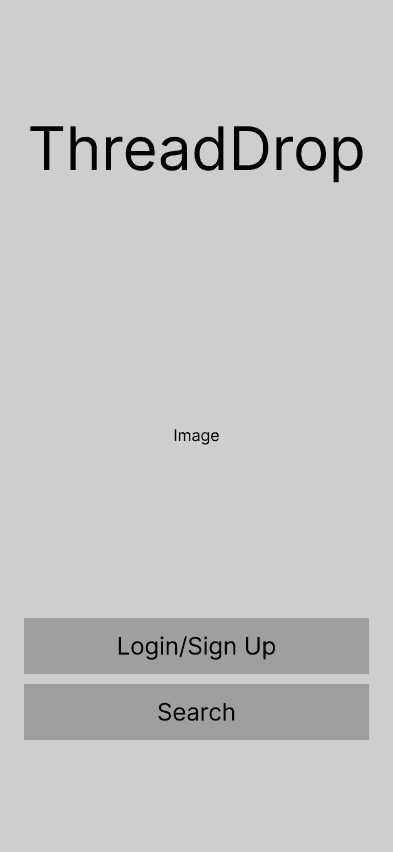
Splash
Search Results
Location Info

Screen Size Variations
Search Results
Location Info
Lo-Fi Prototype
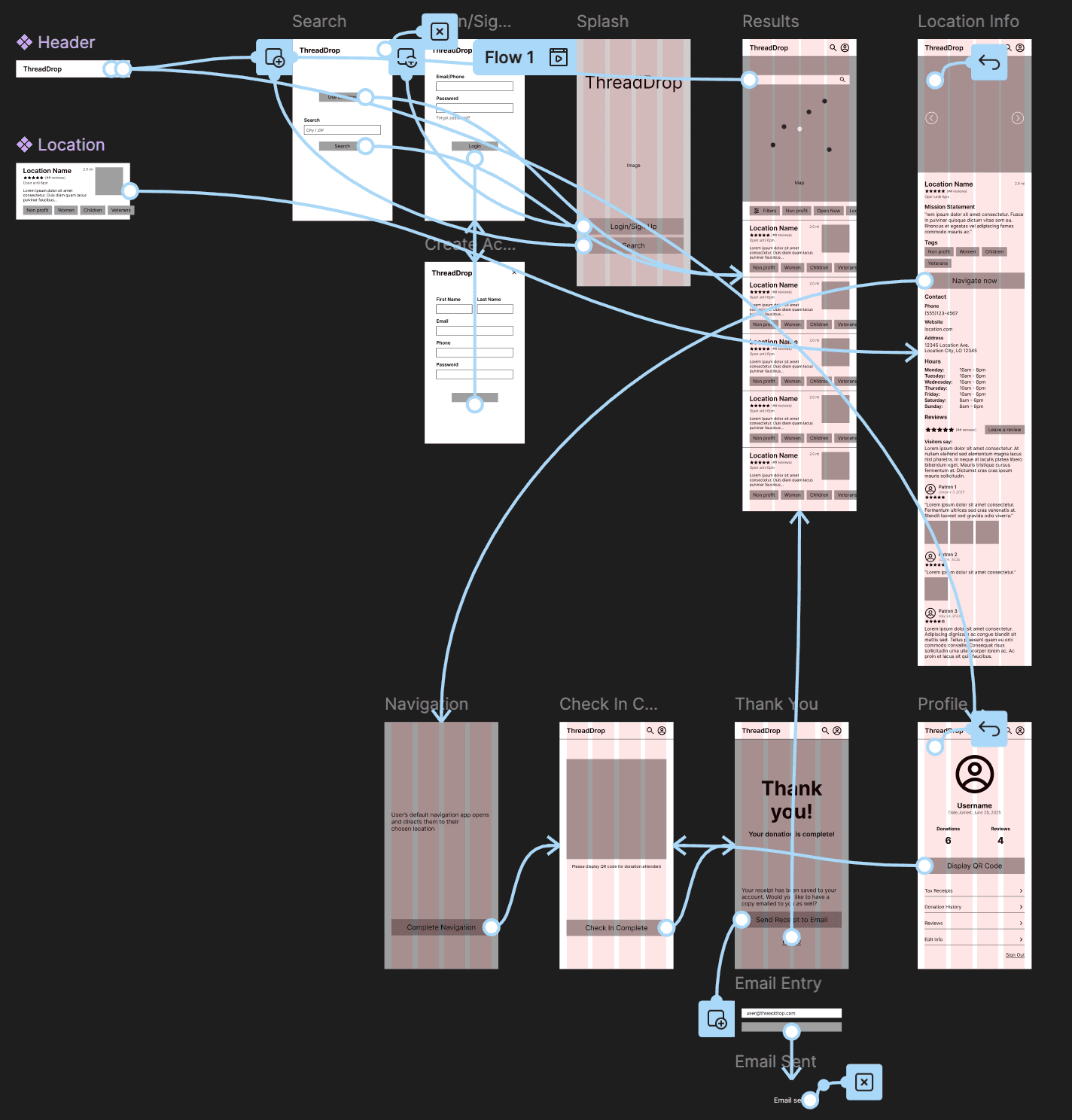
I created a low-fidelity prototype using the user flow diagram and wireframes in order to test out the functionality before implementing it into the final design to ensure ease of use for the user.
Check out the prototypes!
Usability Study
Findings
1
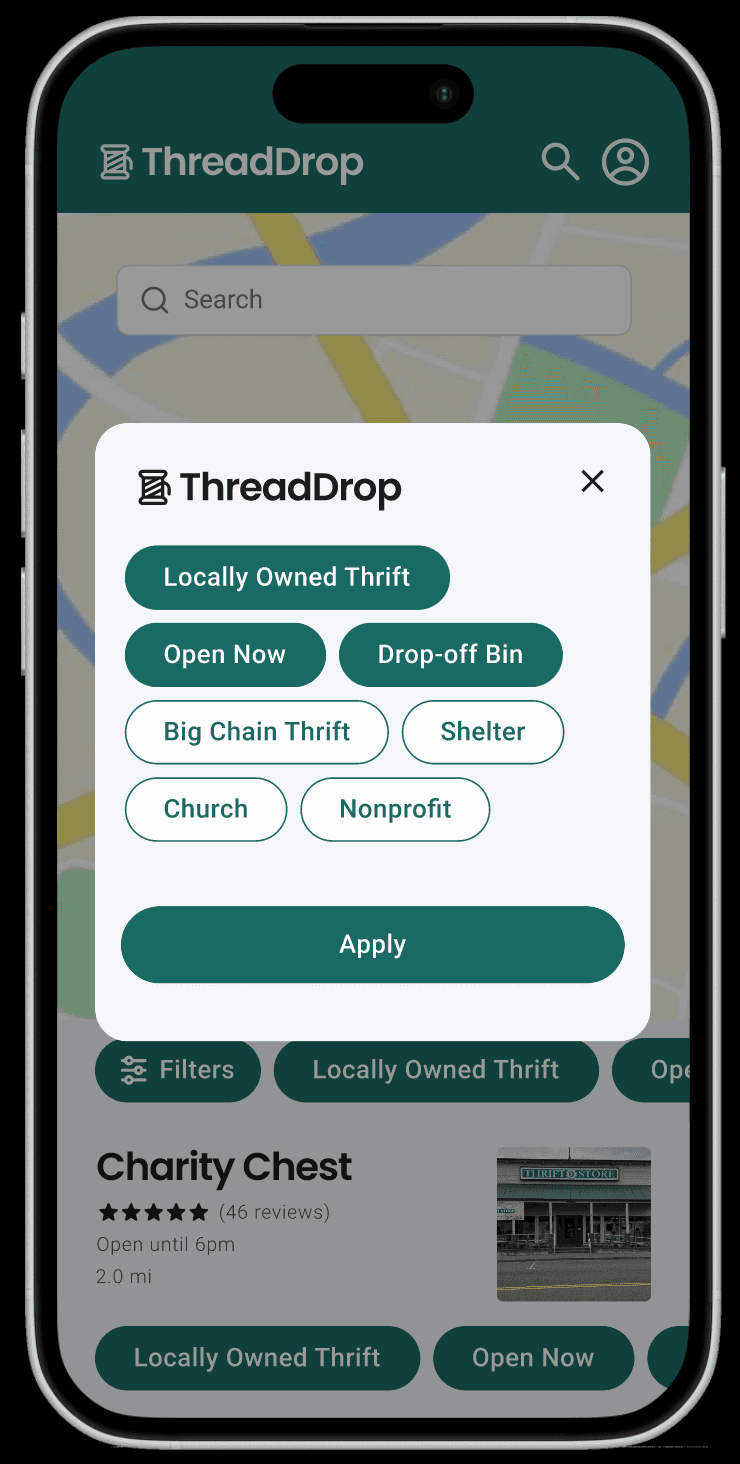
Users found it inconvenient to have to scroll horizontally to select filters.
Solution:
Filter popup to display all filters at once so the user may select them more easily.
2
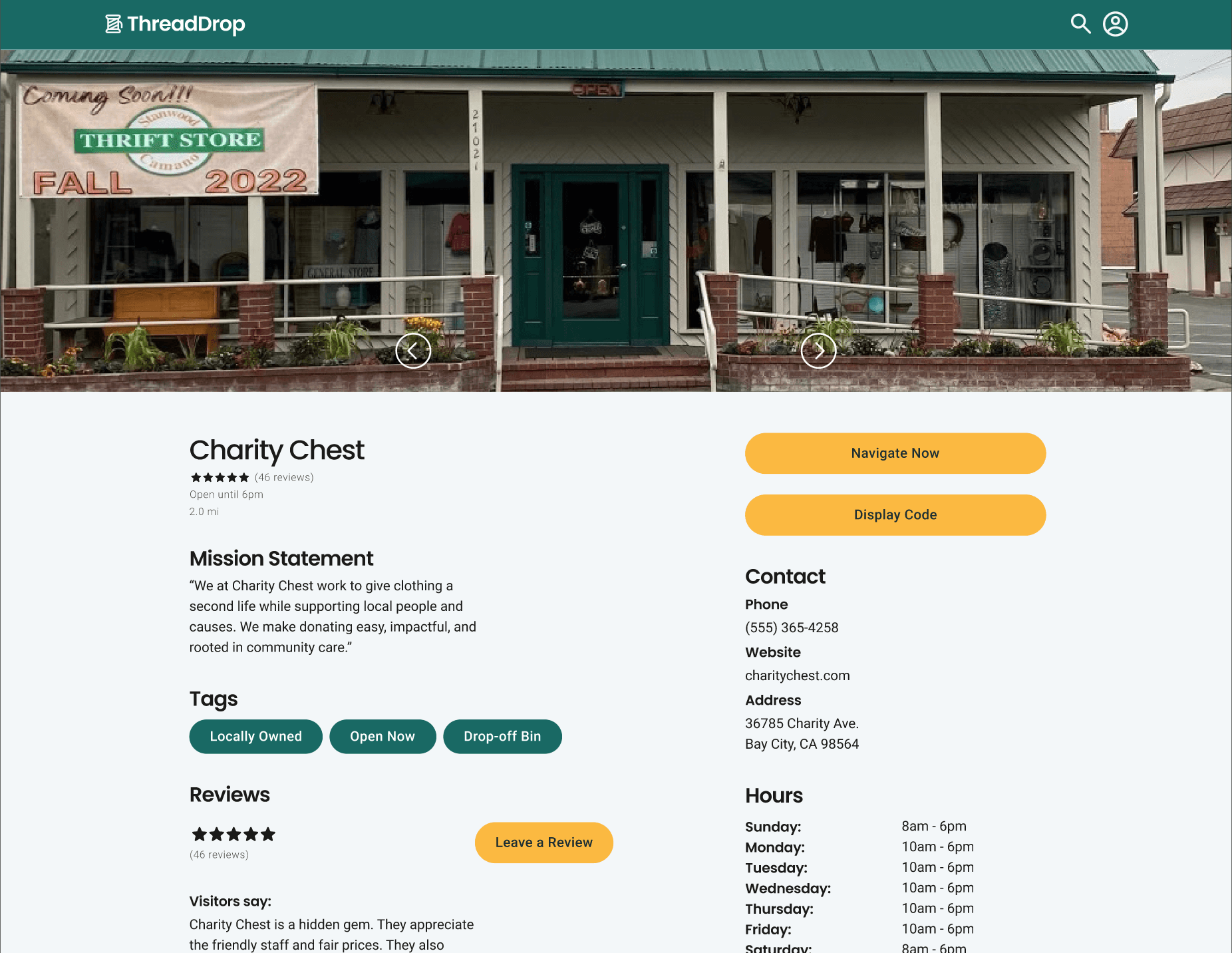
On the desktop version, users found the wording of the “Ready to Drop Off” and “Get Directions” buttons to be confusing because they might mean the same thing.
Solution:
Text on buttons changed to “Display Code” and “Navigate Now” respectively.
3
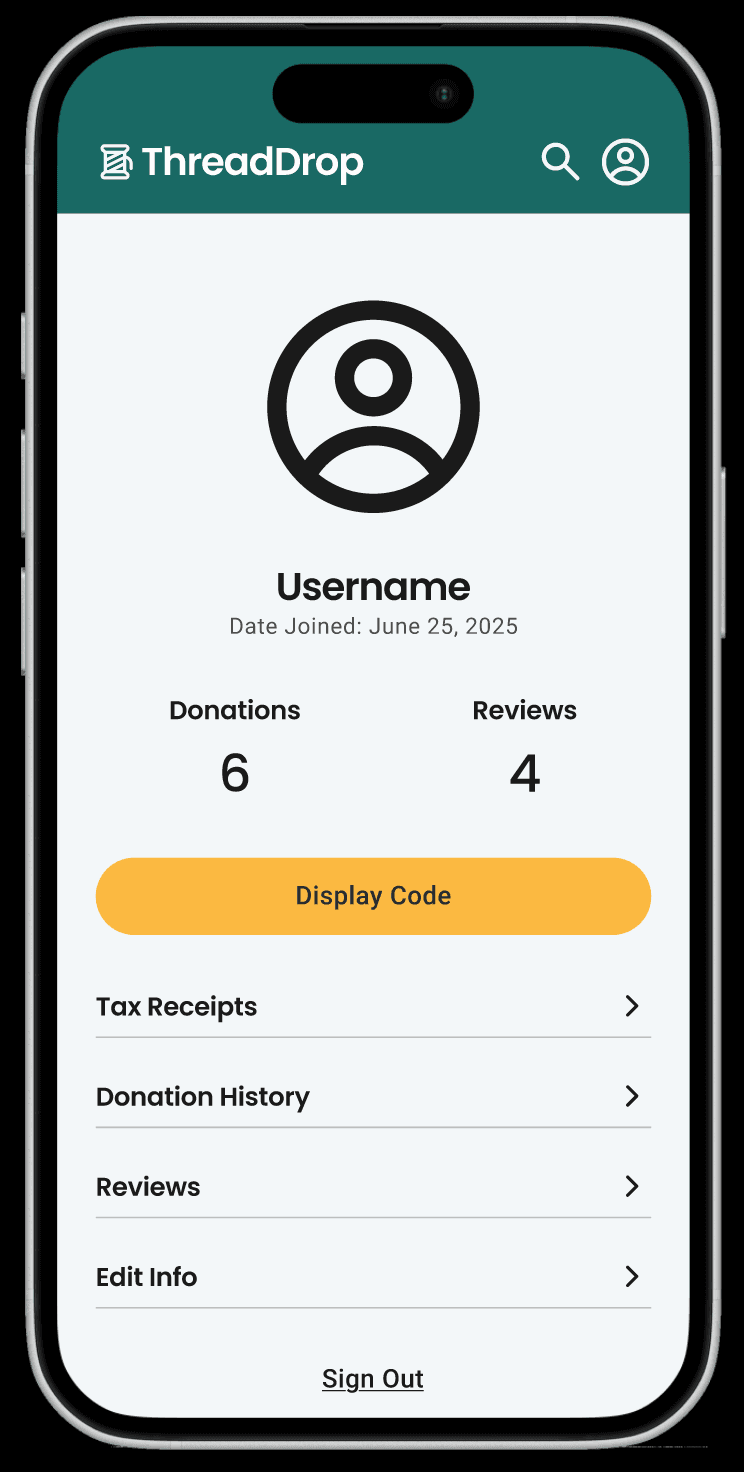
Users mentioned they would like a place where all of their donation receipts were in one place.
Solution:
A profile page where all of the user’s information would be organized and accessible.
Refining the Design
Mockups
After the low-fidelity wireframes were finalized, I moved forward in creating the final designs with convenience, simplicity, and impact in mind.
Green is typically the color trope for donations, so instead I opted for a calming, dark teal color with pops of warmth from the gold accent color.
Splash
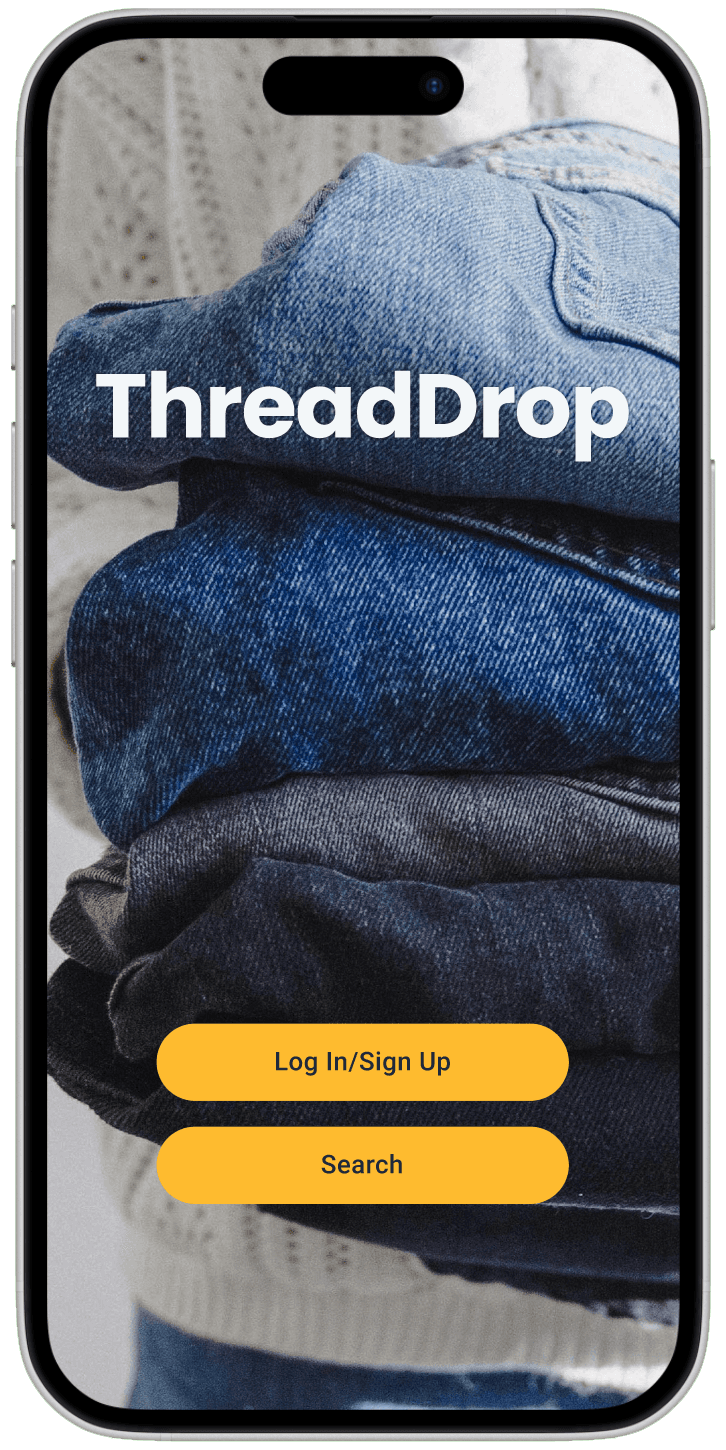
Onboarding
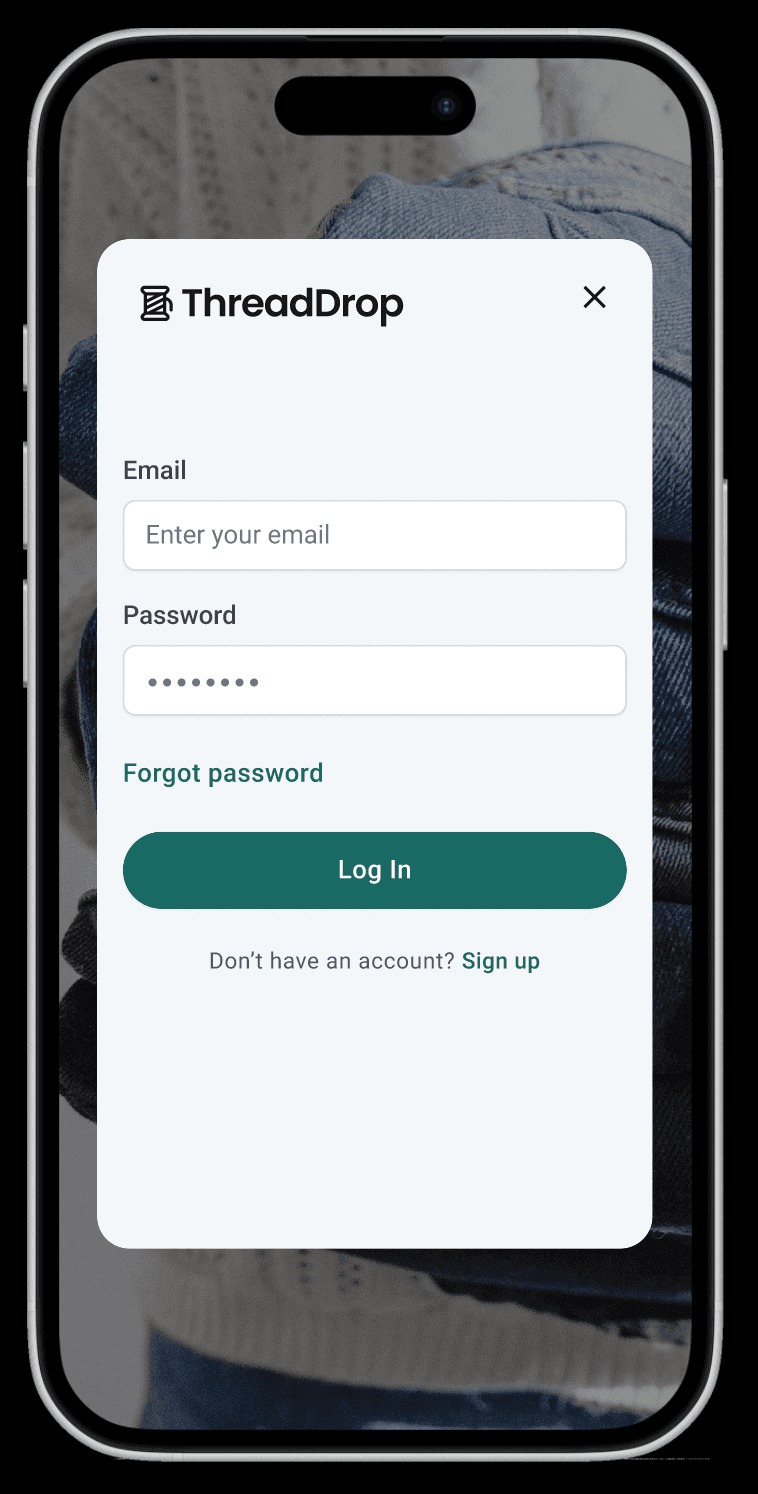
Results
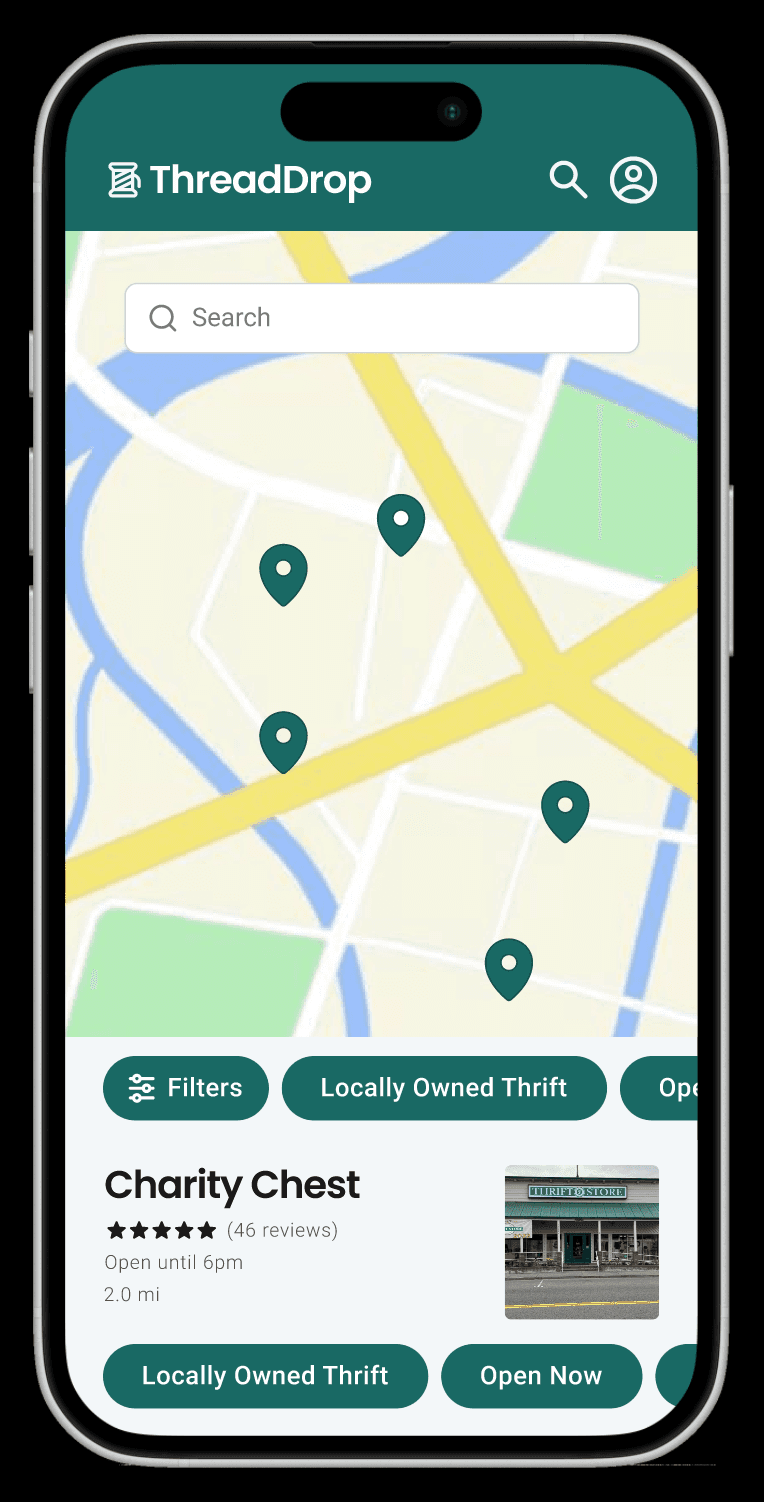
Location Info
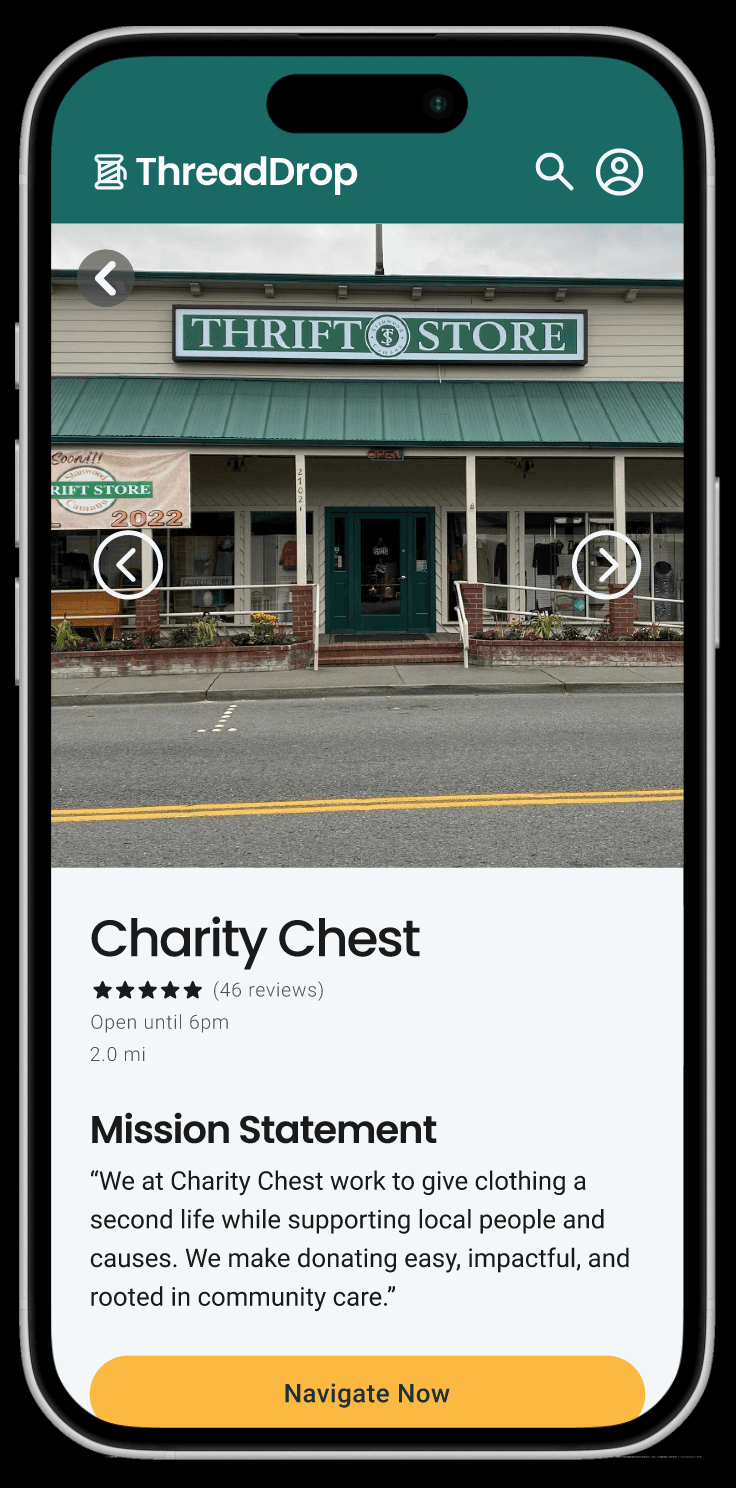
Filters
Following my insights from the usability study, I created a pop up that contains all of the filters so the users may select them without having to scroll to each one.
Profile
A user profile page was created to help the user access their information, such as their past donation receipts and their history of organizations that they have donated to.
Screen Size Variations
Search Results
Location Info
Hi-Fi Prototype
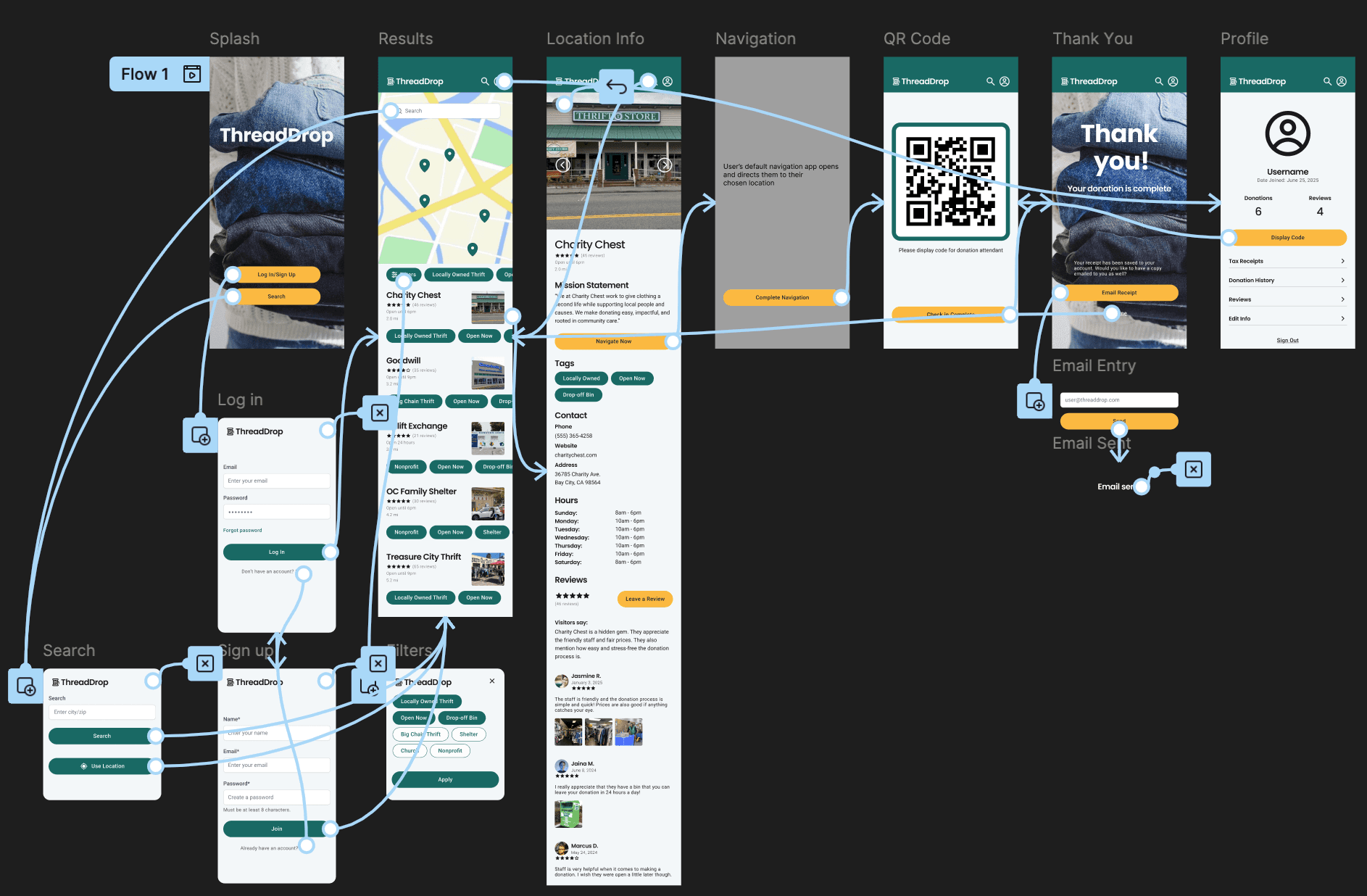
Check out the prototypes!
Accessibility Considerations
1
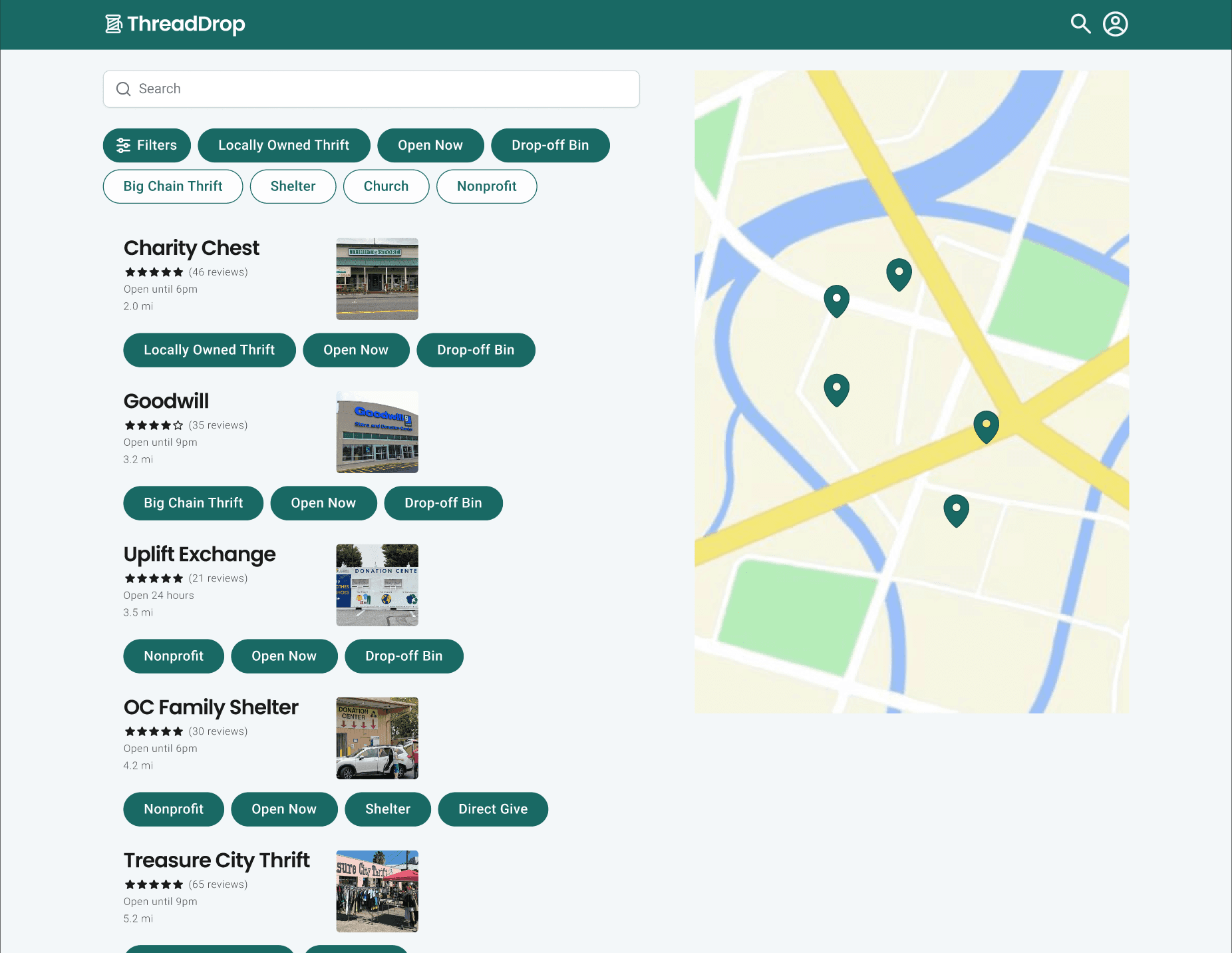
Fully responsive website so that users may access ThreadDrop from any device that they may have
2
Ability to save the user’s QR code to their device or print it in case they do not have internet connection at the drop-off location
3
Ability to use ThreadDrop without an account as well as asking permission to use their location if the user does not want to give out private information
Going Forward
Takeaways
Next Steps
Takeaways
Impact
When it comes to donating items, there are two big roadblocks for people, impact and convenience. People want to know who their donation is going to benefit and they want to be able to make that donation work with their busy schedules. I have created a platform that helps users overcome those obstacles using features that allow them to see what kind of organization they are giving to and what to expect from the donation process. My hope is for this design to lead to more donations and increase community wellbeing and connection.
What I Learned
As a UX designer working on this app I have gained valuable insights and knowledge over the course of the design process.
Key Takeaways
Gleaning insights from usability studies
The importance of empathizing with the user in order to understand their goals
Many different accessibility considerations
Next Steps
1
Gamification, which could include rewards/badges, to give the user reasons to come back and donate more often
2
Donation pickup scheduling to help out elderly users or users with disabilities
3
“Urgent need” alerts to let users know what kind of donations specific locations are needing the most